
Feedback with context.
GitHub issues, automatically.
Widget captures screenshot, location, and user data. Creates an issue in GitHub or GitLab. No copy-paste. No "can you describe what you saw?"
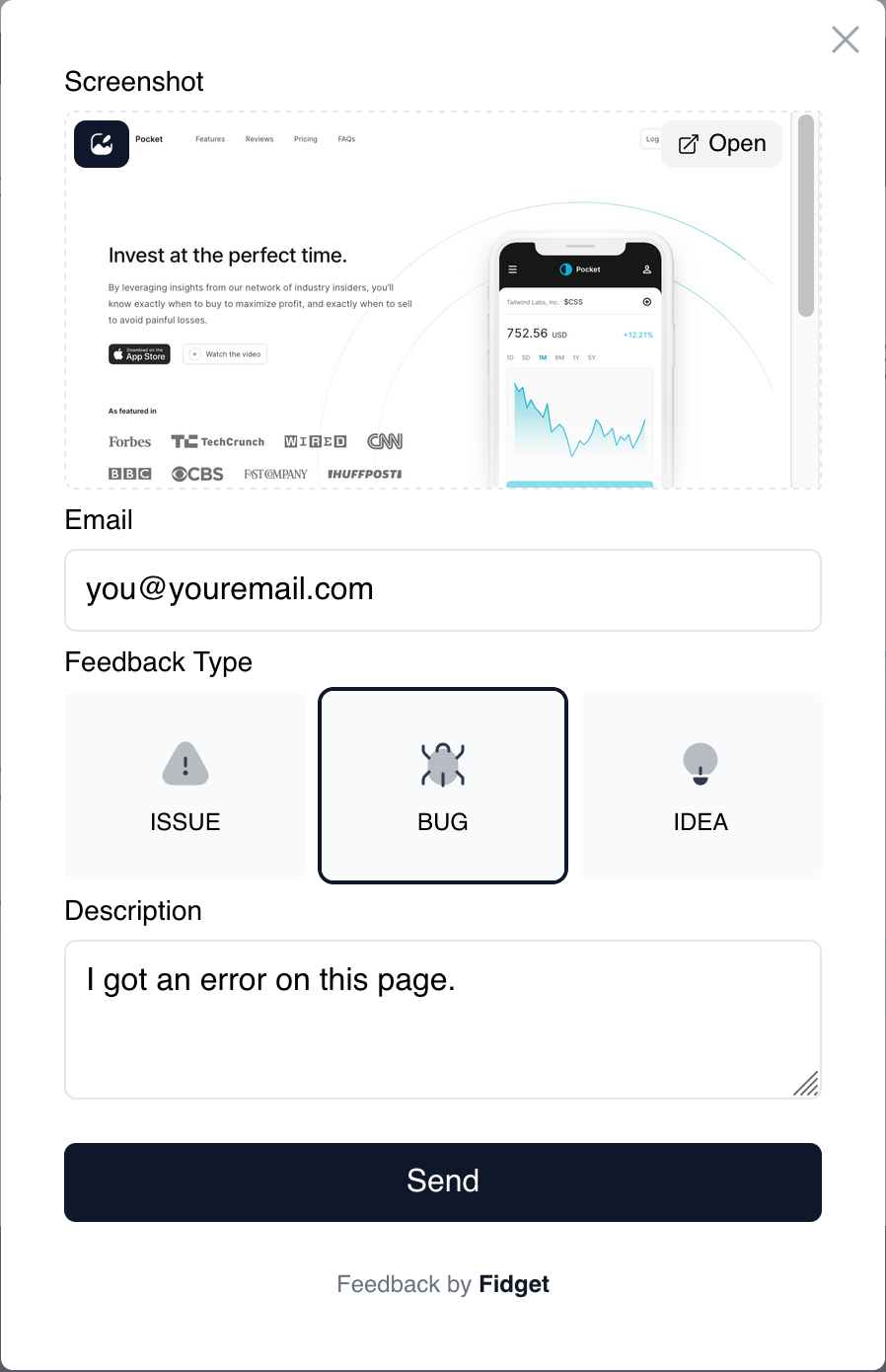
How it works
User opens widget
Screenshot captured automatically when they click.
They describe it
Type a message, annotate the screenshot if needed.
We collect metadata
URL, browser, viewport, user info. All automatic.
Issue created
Synced to GitHub or GitLab if connected. Ready to fix.
Built for devs who ship.
Everything you need to collect feedback and build better products.
Collect feedback
Auto screenshot
Screenshot, URL, browser, and user info captured automatically.
Screenshot annotations
Users can draw on screenshots. Circle the problem, not describe it.
Customize the widget
Colors, position, issue types, required fields.
Identify users
Pass user data to the widget. Know who reported what.
Manage & ship
GitHub & GitLab sync
Issues created with full context. No copy-paste.
Kanban board
Track issues across stages. Drag, drop, done.
Notifications
Get notified when feedback comes in.
Public boards
Share your roadmap with users.
User voting
Let users prioritize. Ship what matters.
One line of code.
Drop the script tag into your site. The widget appears. Users submit feedback. You get context-rich issues. Done.
- No build step required
- Works with any framework
- Under 20kb gzipped
<script src="https://cdn.fidget.so/embed.js"></script>
<fid-get project-id="your-project-id" />
Frequently asked questions
How does Fidget capture screenshots?
When a user clicks the feedback widget, Fidget automatically captures a screenshot of the current page. The screenshot includes exactly what the user sees, making it easy to understand the context of their feedback.
Does Fidget work with GitHub and GitLab?
Yes. Fidget integrates directly with both GitHub and GitLab. When a user submits feedback, Fidget can automatically create an issue in your repository with the screenshot, URL, browser info, and user details attached. No manual copy-paste required. From there you can setup further automations, run AI agents to fix, etc.
What information does Fidget collect automatically?
Fidget captures the screenshot, current URL, browser name and version, viewport size, operating system, and any user data you pass to the widget (like email or user ID). This gives you full context without asking users follow-up questions.
How do I add Fidget to my website?
Add two lines of code to your HTML: a script tag to load the widget, and a custom element with your project ID. No build step or npm install required. Works with React, Vue, plain HTML, or any other framework.
Is Fidget free?
Fidget is free while we're launching. Paid plans with additional features will be introduced in the future.